Every payment.
The right invoice.
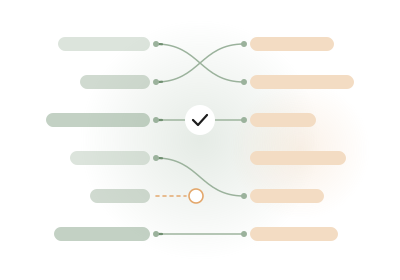
Bank reconciliation software that matches incoming payments to the invoices you issued. Clear matches are confirmed for you; the rest wait in one inbox for a quick decision.
Works with the files and channels you already use
Bank transactions
- EBICS
- SFTP
- camt.053
- MT940
- BAI2
- CSV
- JSON
- REST API
- EBICS
- SFTP
- camt.053
- MT940
- BAI2
- CSV
- JSON
- REST API
Issued invoices
- UBL (EN 16931)
- CII (EN 16931)
- CSV
- JSON
- SFTP
- REST API
- UBL (EN 16931)
- CII (EN 16931)
- CSV
- JSON
- SFTP
- REST API
What changes for your team
Less line-by-line matching. Every uncertain case still goes to a person.
Matches suggested as soon as a payment lands
New bank lines are compared with your open issued invoices in the background, and the likely invoice is suggested.
Clear match levels
Each suggestion shows a level. Certain: the payment cites the invoice. Strong: the exact amount from the right payer. Possible: a person decides.
Common cases, handled
- Issued invoice · Incoming payment
- Credit note · Customer refund
- One payment · several invoices, linked in the Match inbox
- Uncertain suggestion · Human review
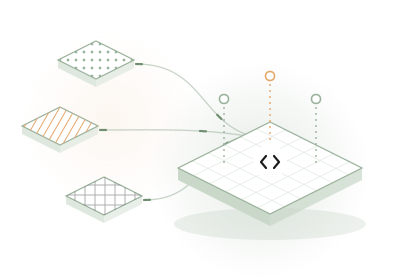
Transactions from several sources
Bring in bank lines from EBICS, an imported statement file, SFTP, the API, or a line you add yourself.
How it works
From bank line to matched invoice in four steps
- 1
Bring in bank lines and invoices
Bring in issued invoices, and bank lines from EBICS, an imported statement file, SFTP or the API.
- 2
Choose what to reconcile
Decide which bank lines are in scope and which matches are confirmed automatically.
- 3
Invunion does the matching
Certain and Strong matches are confirmed for you. Possible matches wait in the Match inbox for a person to decide.
- 4
Use the result anywhere
Export it, read it through the API, or receive it as a webhook in your other tools.
Built for the people who chase payments
Finance, tech and revenue teams each lose time on the same question: has this invoice been paid?
Accountants and finance controllers
Month-end starts with a bank export, an invoice export and a spreadsheet, matched line by line.

CFOs and finance directors
You only know which invoices are really paid after the close, too late for cash decisions.
CTOs and developers
Every bank speaks its own format, and finance keeps asking for one more script.
Revenue and customer teams
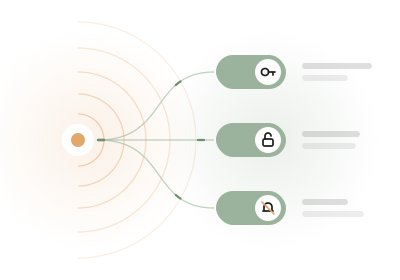
A customer says they paid, and their license stays locked until someone in finance checks the bank.

Consultants and accounting firms
Every client sends statements and invoices in a different format, and they all close in the same week.
Your bank data stays protected
Encrypted bank details
IBANs and account numbers are stored encrypted, and shown masked in the app, the API and webhooks.
Every reveal is logged
Only admins can show a full account number, and each reveal is written to the audit log.
Locked bank details
Once a payment method is used, its bank details are locked, and every change to payment methods is audited.
Sandbox first
A new account starts in a sandbox with sample data. Your real bank data comes in only when you are ready.
From the guides
Plain answers on bank reconciliation, written from how the product actually works.
What is bank reconciliation?
What a reconciliation should prove, and how to do it with reliable evidence.
Invoice-to-payment reconciliation
Linking customer payments to issued invoices with amounts, references, dates and payers.
What is EBICS?
How companies download bank statements automatically over EBICS, and what it means for reconciliation.
Product guide: what is Invunion?
Start here: scope, sandbox, and the first steps in the product.