# Identification rules
> Identification rules decide who paid. Each rule reads a field of the bank line, extracts a value, and looks it up against a payment method or a counterparty, so the line is attached to the right customer. They never choose an invoice.
Source: https://www.invunion.com/knowledge-base/identification-rules/
Last updated: 2026-10-13
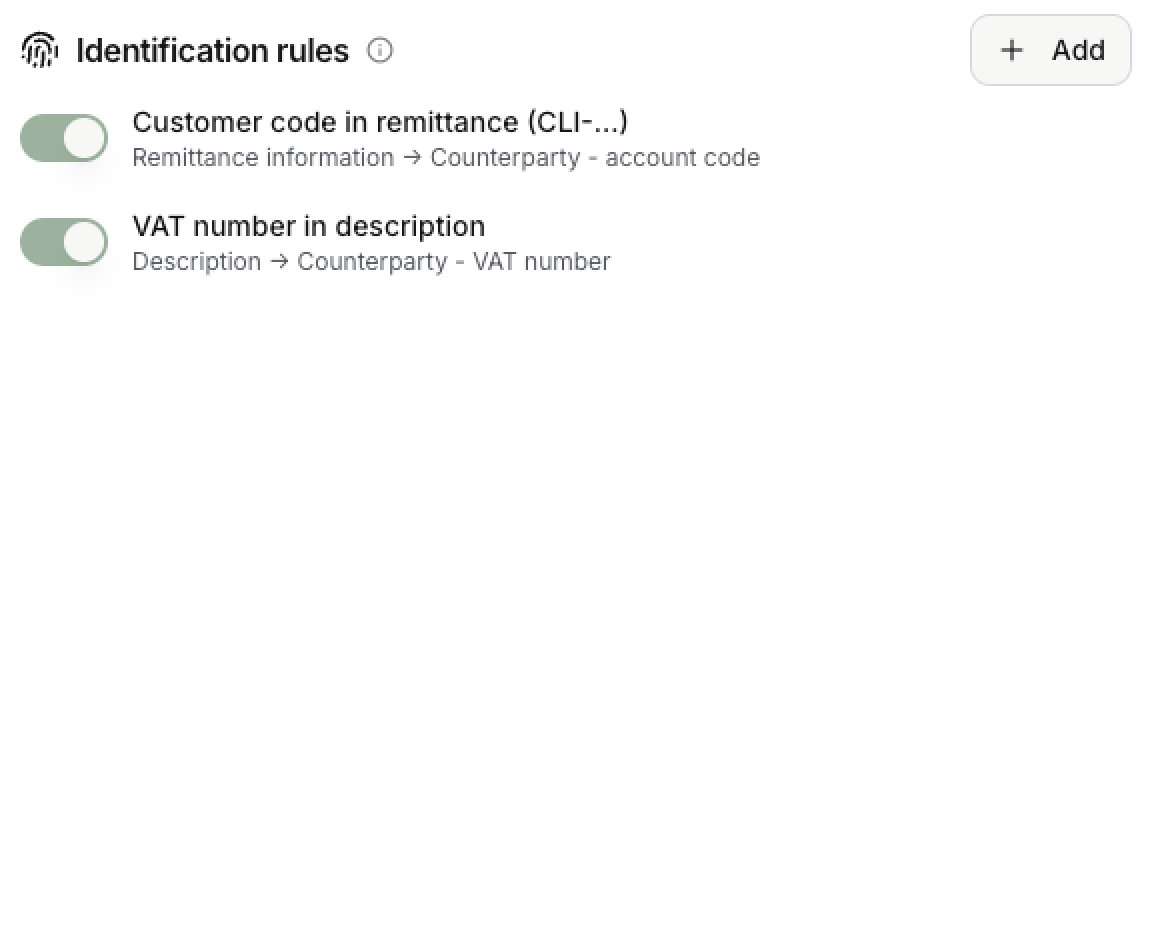
**Settings > Administration > Rules.** Identification rules link a transaction to a counterparty or a payment method. They do not match it with an invoice.
## How the rules work
Each rule does three things:
1. **Read from**: picks the field of the bank line to read.
2. **Extract**: cuts the value out of that field.
3. **Match on**: looks that value up among your payment methods or counterparties.
 ## Add a rule
Select **Add**. The rule form has these fields.
| Field | What it does |
| --- | --- |
| **Name** | A label for you. |
| **Read from** | Remittance information, structured reference, external reference, description, or a transaction metadata key. |
| **Extract** | **Whole value** keeps the field as it is. **Text after a prefix** keeps what follows a prefix you give, ignoring case. **Regular expression** keeps the part that matches a pattern. |
| **Match on** | Where the value is looked up: a payment method IBAN, identifier or code, or a counterparty account code, VAT number, external reference or metadata key. |
| **Active** | Switch a rule off without deleting it. |
With a regular expression, Invunion keeps the first group in brackets when there is one, and the whole match otherwise. The pattern is case-sensitive and limited to 200 characters.
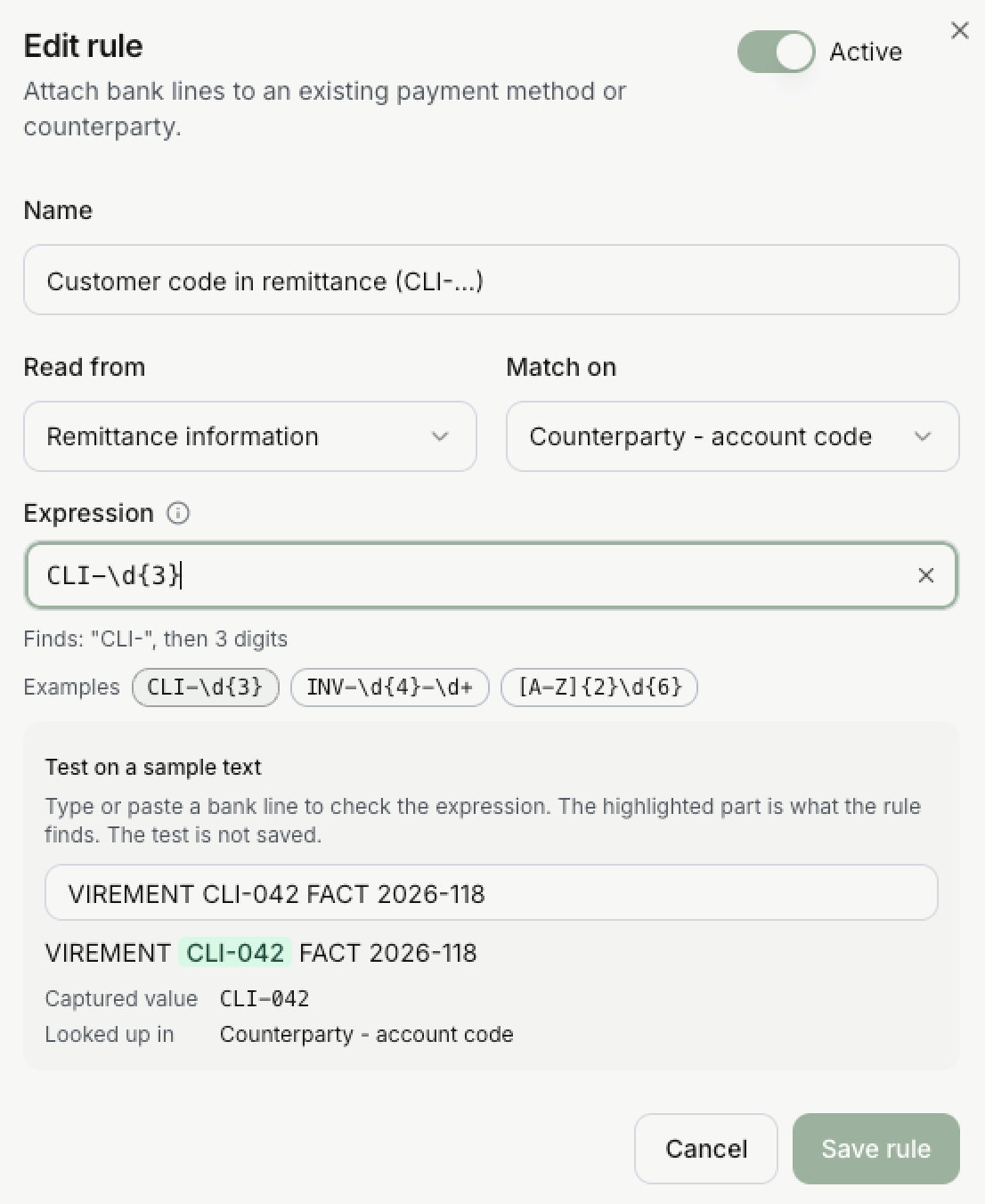
The form also has **Test on a sample text**. Paste a bank line, and the part the rule finds is highlighted, with the captured value and where it is looked up. The test is not saved.
## Example with the test dataset
The test dataset names its customers with account codes from `CLI-001` to `CLI-010`. The sample setup includes a rule for a bank line whose remittance carries such a code.
 | Setting | Value | Why |
| --- | --- | --- |
| **Read from** | Remittance information | The customer code is written in the remittance of the bank line. |
| **Extract** | Regular expression `CLI-\d{3}` | `CLI-` followed by exactly three digits. `\d` means one digit. |
| **Match on** | Counterparty - account code | The value found is compared with the account code of your counterparties. |
Take the sample text `VIREMENT CLI-042 FACT 2026-118`:
1. The rule scans the text and finds `CLI-042`. It is highlighted in the test.
2. `FACT 2026-118` is ignored: it does not start with `CLI-`.
3. The **captured value** is `CLI-042`. The pattern has no brackets, so the whole match is kept.
4. The rule **looks it up in Counterparty - account code**. If a counterparty has the account code `CLI-042`, the bank line is attached to it, even without a known IBAN.
The second rule in the list works the same way. It reads the **description**, finds a VAT number such as `FR81452100301` with the pattern `[A-Z]{2}[0-9A-Z]{8,12}`, and looks it up in **Counterparty - VAT number**.
## What saving does
Changes apply to the next matching run and to live Match inbox suggestions. Matches already stored are never rewritten.
## Limits to keep in mind
- A bank description that looks like a customer name is not proof of identity.
- Aggregator payment rails may serve many counterparties, so a payment method is not always owned by one party.
- A pattern that is too loose can find the wrong value. Test it on a few real bank lines first.